 A Space for Thoughtful

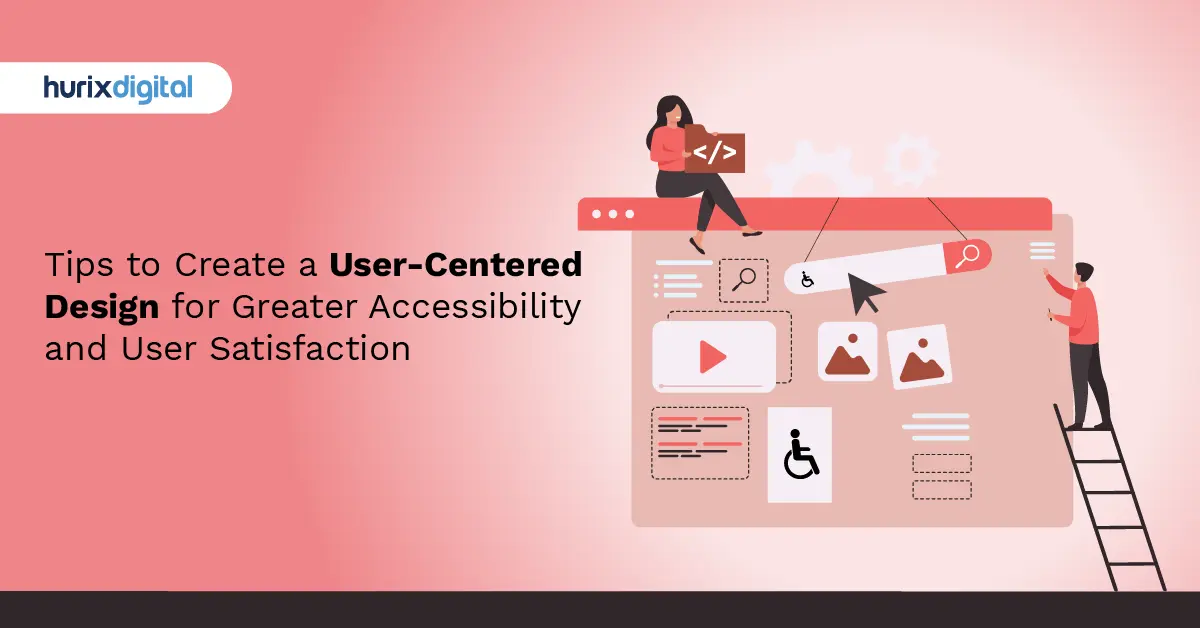
Tips to Create a User-Centered Design for Greater Accessibility and User Satisfaction
Summarize with:
Even though creating accessible digital experiences is now a legal obligation, its benefits are manifold. Besides exemplifying a business’s commitment to inclusivity and user-centered design, it also helps in building a strong market reputation. Today, 61 million adults in the United States live with disabilities, which makes it all the more important for brands to make accessible digital experiences.
To ensure that everyone has equal access to online experiences, the Americans with Disabilities Act (ADA) has set guidelines that mention that websites and other digital products and services must be accessible to everyone, including people with disabilities.
While it is crucial to implement ADA-compliant design for websites, correctly implementing UX principles as per the regulatory requirements can be a daunting task. In such a scenario, leveraging the expertise of UX design firms and UX consulting services can be greatly beneficial. Not only do they come with experience but also guide you at every step to successfully navigate the legal requirements, which will directly impact the business. Let us take a look at what ADA-Compliant Design means and how one goes about implementing it.
Table of Contents:
- The Spectrum of Cognitive Disabilities
- Hindrances in Web Usage
- What is ADA Compliance?
- Principles of Accessible Web Design
- The Significance of Accessible Website Development
- Steps to Address Mobility Impairments
- 7 Secret Ingredients That Make User-Centered Design a Masterpiece in UX
- Steps to Implement User-Centered Design on Your Website
- Include Fonts for Readability
- Use the Right Colors
- Never Depend on Colors Only
- Add Alt Text to Images
- Organize Your Website for Consistent Navigation
- Make Your Website Device-Friendly
- Add Skip Links and ARIA Landmarks
- Add Transcripts and Captions for Multimedia
- Make Your Forms Accessible
- Test with Real Users
- Our Two Cents
The Spectrum of Cognitive Disabilities
Web accessibility for cognitive disabilities remains a challenge due to a lack of clear definitions and guidelines. This has led to confusion among web designers, making it difficult to provide standardized accessibility solutions.
For instance, an individual with intellectual disabilities might be wrongly lumped together with someone displaying symptoms of ADHD (attention-deficit hyperactivity disorder). The ambiguity extends to other conditions as well. These include:
- Autism, Down Syndrome, and similar developmental disabilities
- Dementia and aging-induced cognitive problems
- Perception and cognition problems surfacing after sustaining brain injuries
- Dyscalculia, dysgraphia, dyslexia, and perception-related challenges
- Memory limitations
- Mental health issues like schizophrenia, delirium, anxiety, paranoia, and depression
- Side effects of medications, like hand tremors and vision blurring
- Multiple sclerosis results from damage to the spinal cord or the nerve cells of the brain
- Neurodiversity
We can include many more such conditions and categories. Web designers must take up the challenge of providing better interactive opportunities to such people, making web page navigation immersive, and providing avenues for quick information processing.
Hindrances in Web Usage
Cognitively disabled people often come across barriers that prevent them from using the web seamlessly.
Examples of such distractions and hindrances include:
- Complexity in webpage navigation and convoluted, hard-to-decipher webpage layouts
- Long sentences with complex terminology and technical jargon make reading and understanding difficult
- Content that blinks, moves unusually, or flickers, making it difficult to concentrate
- Discordant audio is playing in the background, which cannot be stopped
- Long paragraphs of text without any multimedia, audio-visual, or pictorial inputs to make the context clear
- Lack of adaptability through CSS (Custom Style Sheets) and web controls in the visual designs of web pages
- Overusing bold patterns and glaring colors without serving any purpose
What is ADA Compliance?
The ADA requires organizations to ensure equal access to their products, offerings, and even digital platforms for people with disabilities. Website accessibility under ADA standards should comply with certain aspects, including:
- Providing text equivalents for non-text content.
- Being able to navigate using a keyboard.
- Sufficient contrast between the text and background.
- Easily understandable forms.
Principles of Accessible Web Design
Responsive web design and other accessibility best practices are guided by several principles outlined in the Web Content Accessibility Guidelines (WCAG), developed by the World Wide Web Consortium (W3C). These principles, often referred to as the POUR principles, are as follows:
1. Perceptible
Users should be able to see information and user interface components. This can be done by providing them with alternative text for images and captions for multimedia content, among other ways, and ensuring that there is enough contrast in color between texts.
2. Operable
You must make sure that navigation is easy for users. To achieve this, all functions should be accessible through the keyboard, users should be given enough time to interact with the content they are using, and there must not be any content that may cause seizures or physical reactions.
3. Comprehensible
Everything on the site needs to be understood by anyone who uses it. Therefore, one has to use simple terms, always organize things systematically so that they make sense easily, and give responses every time someone does something.
4. Robustness
The ability of a system or program to work well even when conditions change or there are problems.
Content has to be strong enough for many different types of software, including assistive technology used by people with disabilities who may not use standard web browsers. Therefore, compatibility should also extend to various devices, such as phones and tablets, among others.
The Significance of Accessible Website Development
Accessible website development plays a crucial role in promoting digital inclusivity. Here are several reasons why it matters:
1. Legal Compliance
In many nations, including the United States, web accessibility is directed by law. Failure to adhere to ADA compliance and WCAG standards can result in legal repercussions, including lawsuits and financial penalties.
2. Wider Audience
When you make your website accessible, it becomes available to more people. Approximately 16% of the world’s population has some form of disability, and they need an inclusive and user-friendly website that allows them to access information, shop online, and engage with various content.
3. Better User Experience
Inclusive design benefits all users, not just those with disabilities who visit your site. Implementing clear navigation, descriptive links, and readable text, for example, can make your website easier to navigate and understand for everyone. At the same time, clear navigation aids understanding from one page section to another, and so should descriptive links.
4. Brand Reputation and Social Responsibility
By being inclusive in the digital space, you create trust with customers, thereby enhancing their loyalty towards your brand and attracting socially conscious buyers as well.
Steps to Address Mobility Impairments
Le’s familiarize ourselves with mobility impairments and the challenges faced by individuals with limited mobility. Mobility impairments include conditions like paralysis, arthritis, or motor control limitations.
These impairments immensely affect an individual’s ability to use a traditional mouse or keyboard for website navigation, requiring alternative input methods or assistive technologies.
Here are a few ways to help you become more accessible:
1. Embrace Keyboard Accessibility
Keyboard accessibility is vital for users who cannot operate a mouse. Ensure that all interactive elements on your website, including links, buttons, and form fields, can be accessed and activated using only the keyboard. Test your website’s keyboard accessibility by navigating through it using the Tab key and providing visual indicators for focused elements.
2. Allow Flexible Form Input
Forms play a significant role in website interaction. To accommodate users with mobility impairments, opt for flexible form input. It allows the users to navigate the form fields using the Tab key and provides clear instructions and error messages. Consider implementing features like auto-fill and autocomplete to streamline the form-completion process.
3. Optimize Button and Link Sizes
Ensure that buttons and links have an adequate size and spacing to make them easily clickable, especially for users with limited dexterity. A minimum target size of 44×44 pixels is the ideal choice to allow users to select elements accurately. Additionally, provide enough space between clickable elements to prevent accidental clicks.
4. Use Clear and Consistent Navigation
Clear and consistent navigation is essential for users with mobility impairments. Structure your website’s navigation in a logical and organized manner, using descriptive labels and hierarchical menus. Breadcrumbs and site maps can also enhance navigation and provide orientation within your website.
5. Provide Skip Links
Skip links are helpful for users who navigate websites using assistive technologies. These links allow users to bypass repetitive elements and directly access the main content of a page. By including skip links, you streamline the navigation process and improve the user experience for users with mobility impairments.
6. Design for Responsive and Touch-Friendly Interactions
Consider users who access your website on touch-enabled devices or use alternative input methods, such as voice commands or switches. Ensure that interactive elements have sufficient size and spacing to accommodate touch interactions. Avoid relying solely on hover interactions, as they may not be accessible to users who cannot use a mouse.
7 Secret Ingredients That Make User-Centered Design a Masterpiece in UX
Accessible user-centered design addresses the needs of people with disabilities and improves the overall user experience. It encompasses various principles and practices designed to eliminate barriers from interactions and ensure equitable access to information and services.
This means that designers have to consider diverse user needs, such as those who are visually, aurally, manually, or cognitively impaired. Encouraging accessibility paves the way for usability, which can foster user satisfaction and ultimately widen their audience.
Here are several hidden elements that contribute to accessibility in UX:
1. Empathy
Empathy is foundational for accessible design. It goes beyond understanding and sharing other people’s emotions. This characteristic requires designers to use unique approaches to consider the various needs, desires, and hindrances experienced by individuals with impairments.
In designing, too, they should try putting themselves in the shoes of people with differing abilities. This will enable them to draw informed conclusions about their designs. The cornerstone of this feeling is creating non-discriminatory answers.
2. Universal Design
Building products and environments that facilitate use by all individuals to the maximum extent possible without the need for adaptation is supported by Universal Design Principles. Similarly, the starting point of universal design is in its flexibility, simplicity, and intuitiveness. In place of treating accessibility as an afterthought, designers integrate it into designs so that it forms an integral part of them.
3. Clear and Consistent Communication
Accessibility usually depends on effective communication. To facilitate understanding by all users, designers increase comprehension and usability by prioritizing clarity, simplicity, and consistency in interface elements.
This involves using short language texts, meaningful icons or logos, and intuitive navigation structures. Moreover, visual hierarchy, color contrast, and typography are used by designers to assist in information processing and readability improvement for people with visual impairments.
4. Flexible Interaction Modalities
Accessible design acknowledges diverse user abilities through flexible interaction modalities. For instance, this includes multiple pathways for navigation input and interaction that cater to persons with diverse motor skill capability levels or who require assistive technology devices for such a purpose.
From keyboard shortcuts and voice commands to gesture-based controls and switch access, designers empower users to engage with digital interfaces in ways that suit their preferences and abilities.
5. Visual and Auditory Inclusiveness
Visual and audio elements substantially impact the user experience. For inaccessible design, designers focus on creating visuals that communicate data effectively, regardless of whether users are visually impaired.
This approach incorporates alternative texts for pictures, video captions, and enough color contrast for legibility. In audio design as well, designers make transcripts available as well as subtitles available on audio files to facilitate access for deaf people.
6. Seamless Integration of Assistive Technologies
Assistive technologies act as essential tools for disabled people, enabling them to access digital content and offer services.
Developers work hand in hand with designers to integrate assistive technology, such as screen readers like JAWS (Job Access With Speech), ZoomText magnifiers, voice recognition software such as Dragon NaturallySpeaking, and other input devices that substitute mouse or keyboard commands for use by persons with disabilities.
Designers help improve compatibility and interoperability among various ATs, thereby enabling users to maximize their potential through these technologies, thus enhancing personal self-governance.
7. Continuous Testing and Iteration
Accessibility is not a one-time endeavor but a continuous commitment to improvement. Through continuous testing and iteration, designers gather feedback from users with disabilities, identify pain points and usability barriers, and refine their designs accordingly. User testing sessions, accessibility audits, and feedback mechanisms serve as invaluable resources for driving iterative enhancements and optimizing the user experience for all.
Steps to Implement User-Centered Design on Your Website
Making sure your website has an ADA-compliant design is essential for inclusivity and protection from legal risks. Follow these user-friendly steps:
1. Include Fonts for Readability
Clear and readable fonts should be used, such as sans-serif fonts for body text. Ensure that font sizes can be adjusted according to the needs of the user who has visual impairments. For instance, the BBC and Google websites make their typography user-friendly for easier readability.
2. Use the Right Colors
Use contrasting colors to ensure text and other elements are readable. The WCAG suggests a minimum contrast ratio of 4.5:1 for standard text and 3:1 for large text.
3. Never Depend on Colors Only
Approximately 8% of all men and 0.5% of all females worldwide are colorblind. Therefore, adding patterns, textures, or labels to supplement visual signals is advisable.
4. Add Alt Text to Images
Add descriptive alt text to all images, helping screen readers convey their meaning. For instance, an alt tag for an e-commerce product image could be ‘an orange handbag with black accents.’
5. Organize Your Website for Consistent Navigation
Keep menus and navigation structures logical and predictable. Amazon’s positioning of search bars and categories on its website is a great reference.
6. Make Your Website Device-Friendly
Design mobile-first to ensure compatibility across all devices. Ensure a responsive user experience design using techniques for different screen sizes.
7. Add Skip Links and ARIA Landmarks
Allows users with the keyboard to skip recurring content and jump directly into the significant parts of it. Add ARIA roles to improve assistive technology compatibility.
8. Add Transcripts and Captions for Multimedia
You can include subtitles for the video and provide transcripts for audio files. This accessibility is not only for the hearing-impaired but is more of a universal accessibility provision.
9. Make Your Forms Accessible
When expecting your target audience to fill out forms online, use clear labels, error messages, and logical tab order in forms.
10. Test with Real Users
Conduct user experience testing with people with disabilities to find problems. For solutions, connect with UX design firms or UX consulting services to create human-centered content and inclusive design.
Our Two Cents
Cognitive accessibility represents the next frontier in web accessibility, emphasizing the need to design digital platforms with the unique cognitive needs of all users in mind.
As technology continues to evolve, it is essential to keep cognitive accessibility at the forefront of web design, striving towards a more inclusive digital landscape for all.
At Hurix Digital, accessibility and inclusion are integral values. Our team continually works to improve the platform’s accessibility, creating a more inclusive workplace and contributing to a world where everyone has equal opportunities to thrive.
By integrating WCAG 2.1, Section 508, user experience, user-centered design, and social impact in our product development process, we aim to empower individuals with disabilities and foster a more inclusive and diverse workforce.
Get in touch with us to know more!
Summarize with:

Vice President & SBU Head –
Delivery at Hurix Technology, based in Mumbai. With extensive experience leading delivery and technology teams, he excels at scaling operations, optimizing workflows, and ensuring top-tier service quality. Ravi drives cross-functional collaboration to deliver robust digital learning solutions and client satisfaction